
One font library.Every font you use.
Google Fonts, your own uploads and Adobe Fonts live side by side, load from your own server, and show up wherever you design.
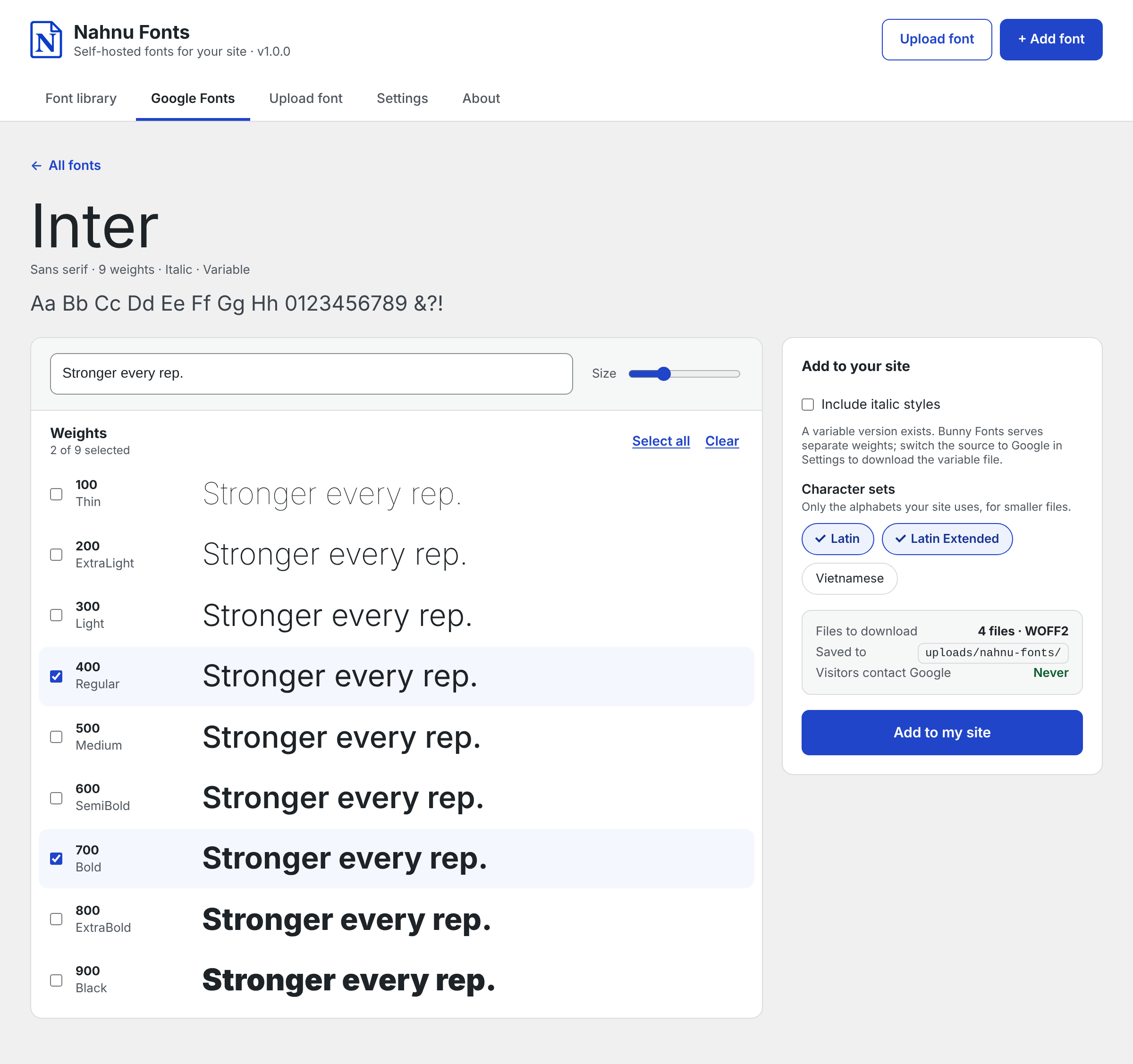
Google Fonts, hosted by you.
Browse the full Google Fonts collection with live previews. Pick the weights, italics and character sets you need, and Nahnu Fonts saves the files to your site.
- Downloaded through Bunny Fonts by default, so Google never sees a request
- Only the character sets you choose, so files stay small
- Want Google's variable files? Switch the source to Google in Settings
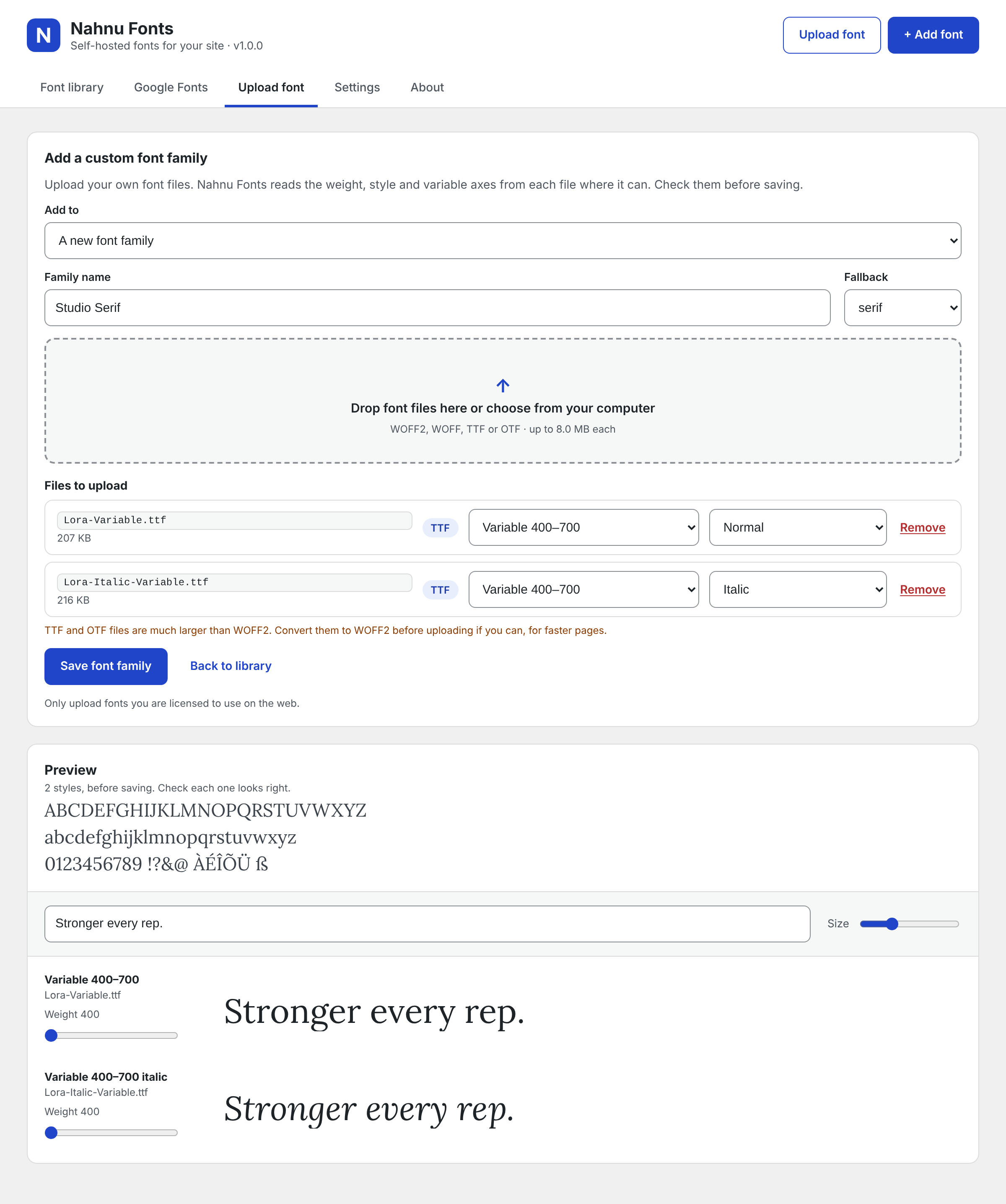
Your own fonts, read for you.
Upload your brand fonts and Nahnu Fonts reads the weight, style and variable axes straight from the files. Check the preview, then save.
- WOFF2, WOFF, TTF or OTF files
- Variable fonts: one file covers every weight
- Stored in your uploads folder, so plugin updates never touch them
Adobe Fonts, with just a project ID.
Paste your Adobe Fonts web project ID and its fonts join your library, ready to use in the same places as the rest. No API key needed.
Good to know
- Find the ID on fonts.adobe.com, under Web Projects
- Adobe's license requires Adobe to serve its fonts, so these load from Adobe
- Everything else in your library stays on your server
- Disconnect the project any time to stop loading from Adobe
Your visitors never call Google.
Every font loads from your own domain. Two switches in Settings also stop the rest of your site from sending visitors to Google.
- Block Google Fonts stylesheets added by your theme and other plugins
- Stop page builders from loading their own Google Fonts, where the builder supports it
- Browse and download through Bunny Fonts, so even the admin never contacts Google
fonts.googleapis.com/css2?family=Inter
fonts.gstatic.com/s/inter/…/inter.woff2
yoursite.com/wp-content/uploads/nahnu-fonts/nahnu-fonts.css
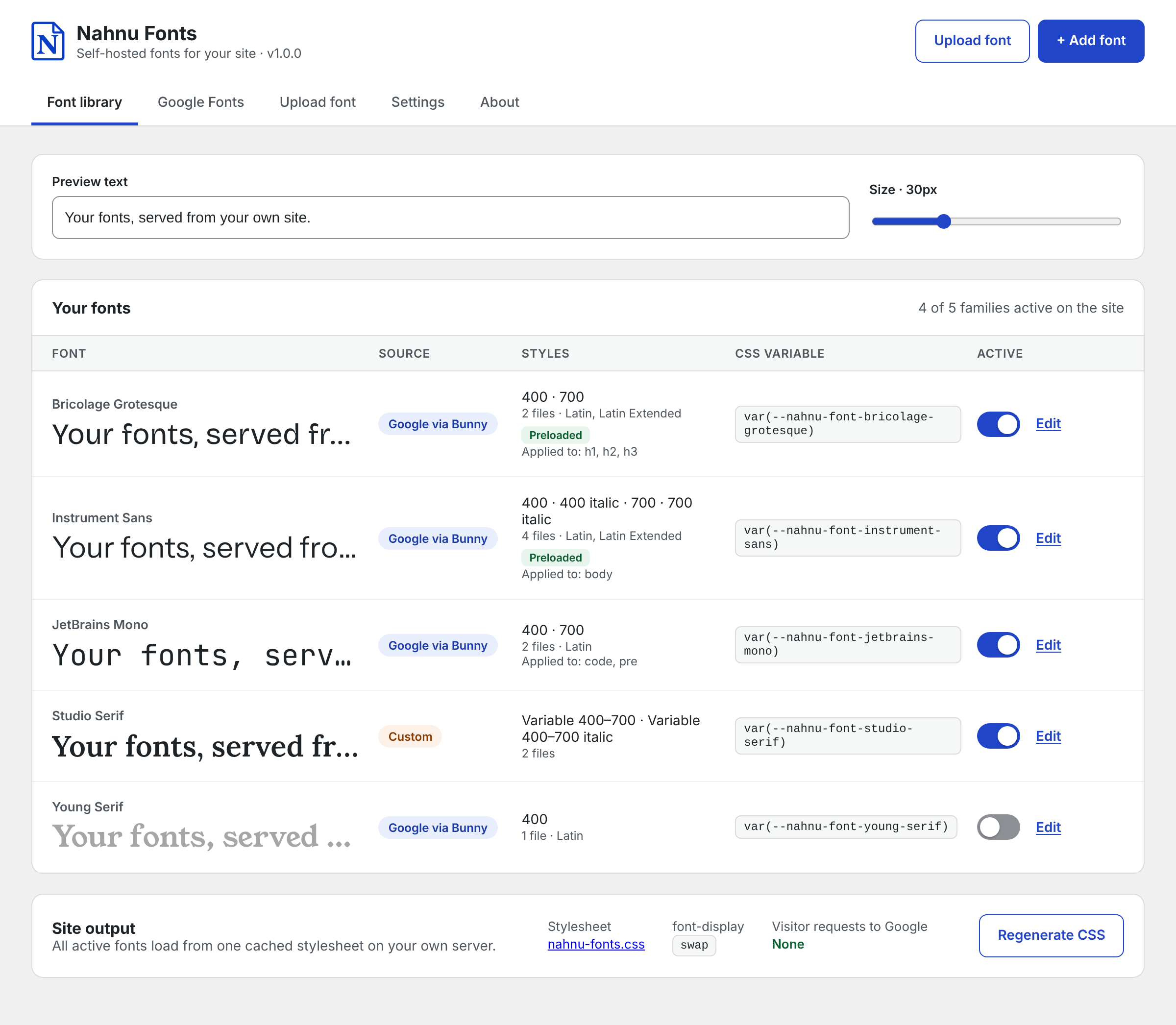
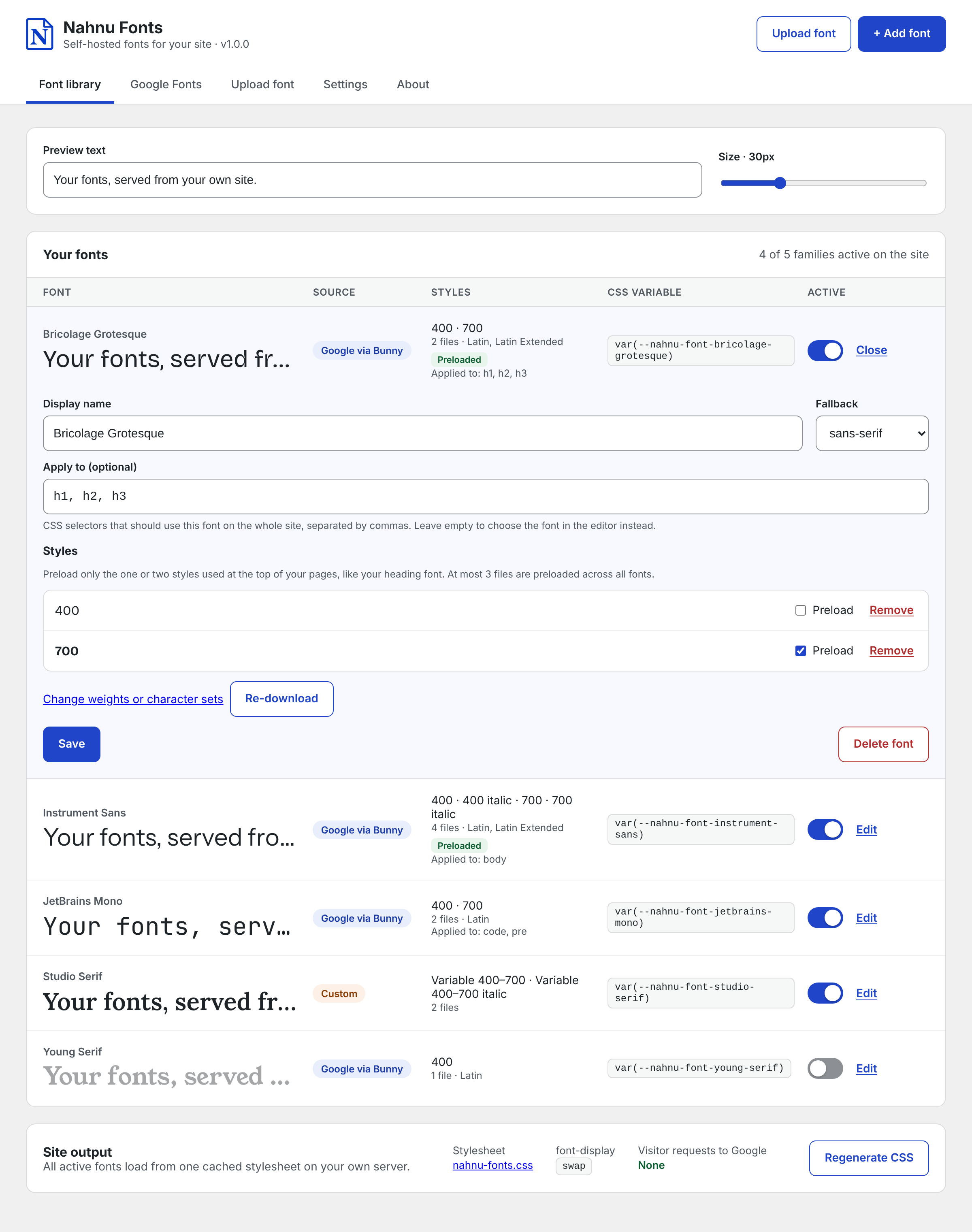
Fine-tune every font.
Rename a font, pick its fallback, apply it to CSS selectors and choose which styles to preload, all from one panel.
- Apply a font site-wide with selectors like h1, h2, h3
- Preload only the styles at the top of your pages
- Change weights or character sets and re-download any time
Fast without thinking about it.
One stylesheet
Every active font loads from a single cached file on your server, not one request per family.
Preloads
Mark the styles used at the top of your pages and they load first. Up to 3 files across all fonts.
Your font-display
Choose swap, fallback, optional, block or auto to control how text appears while fonts load.
Cache clearing
Clears 9 popular page caches, including WP Rocket and LiteSpeed Cache, whenever your fonts change.
Use them however you design.
Three ways to put a font to work. Mix them freely.
-
In your builder
Pick it in the typography panel of the block editor, the Site Editor or your page builder, under its own name.
See integrations → -
Apply to selectors
Give a font CSS selectors and it's used across the whole site, no builder needed.
Apply to: h1, h2, h3 -
CSS variables
Every font gets its own variable, shown right next to it in the library.
font-family: var(--nahnu-font-inter);
Built for developers, too.
Script your font setup, hook into every step, or add support for your own builder.
- PHP APIRead fonts and variables
- 58 hooksActions and filters at every step
- REST APIManage fonts remotely
- WP-CLIAdd, list, export and more
// Every active font, ready to use
foreach ( nahnu_fonts_get_fonts() as $font ) {
    echo $font['family'];
    echo $font['css']['variable'];
}

// Clear a cache Nahnu Fonts doesn't know about
add_action( 'nahnu_fonts_after_purge_cache', 'my_purge' );

$ wp nahnu-fonts add-google "Inter" --weights=400,700
Easy to move in. Safe to keep.
Switch from other plugins
One click brings over every font, file and setting. Its CSS names keep working, so your pages look the same.
Import and export
Move your fonts and settings to another site in a single .zip file.
Fonts that stay put
Delete the plugin and your fonts are kept, unless you choose to remove everything.
